Significant Figures (Sig Fig) Calculator for Students
Significant Figures Calculator
Results
Original number:
Significant figures count:
Rounded to specified sig-figs:
Step-by-Step Explanation
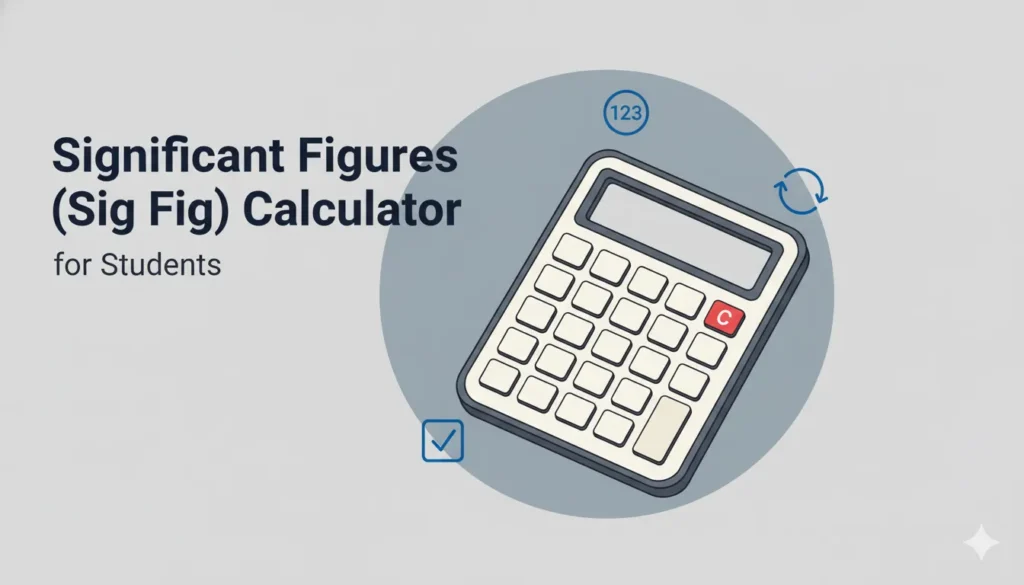
Significant Figures (Sig Fig) Calculator for Students
The Significant Figures (Sig Fig) Calculator helps students determine the number of meaningful digits in a measured or calculated value, format numbers to a specified number of significant figures, and perform arithmetic with appropriate rounding rules. This tool teaches the rules of significant figures, shows step-by-step rounding, and helps maintain proper precision in lab reports, homework, and scientific calculations.
Why Significant Figures Matter
- Communicates precision: Sig figs indicate how precise a measurement or result is and prevent false overprecision.
- Standards in science: Ensures consistent rounding and reporting across experiments and calculations.
- Error awareness: Helps students and researchers recognize limits of measurement and calculation precision.
- Correct arithmetic: Guides rounding after addition/subtraction vs multiplication/division.
Who This Calculator Is For
Middle- and high-school students, college science students, lab technicians, and anyone learning or applying rules of significant figures when reporting measurements and performing calculations.
Key Concepts & Rules
- Nonzero digits: always significant (e.g., 123 → 3 sig figs).
- Zeros between nonzero digits: significant (e.g., 1002 → 4 sig figs).
- Leading zeros: not significant (e.g., 0.0025 → 2 sig figs).
- Trailing zeros in a decimal number: significant (e.g., 2.300 → 4 sig figs).
- Trailing zeros in a whole number without a decimal: ambiguous — use scientific notation or a decimal point to clarify (e.g., 1500 has 2, 3, or 4 sig figs depending on context; 1.50×10³ makes 3 sig figs explicit).
- Exact numbers: counted quantities or defined constants have infinite sig figs (e.g., 12 eggs = exact).
Counting Significant Figures — Examples
- 47.2 → 3 sig figs
- 0.00456 → 3 sig figs
- 1200 (ambiguous) → prefer scientific notation: 1.200 × 10³ → 4 sig figs
- 3.0000 → 5 sig figs
- 6.02 × 10²³ → 3 sig figs (Avogadro's number often represented this way)
Rounding Rules (Quick)
- If the first dropped digit < 5 → round down (leave last kept digit unchanged).
- If the first dropped digit > 5 → round up (increase last kept digit by 1).
- If the first dropped digit = 5 → round to nearest even (bankers' rounding) or round up following your instructor's rule — be consistent.
- When rounding, keep the number of significant figures requested and preserve scientific notation when appropriate to avoid ambiguity.
Arithmetic Rules — Which Rounding Rule to Use?
- Multiplication & Division: Final result should have the same number of significant figures as the factor with the fewest sig figs. Keep extra guard digits while calculating; round only the final answer.
- Addition & Subtraction: Align decimal places — the result should be rounded to the least precise decimal place (the position of the leftmost uncertain digit), not to sig figs directly.
- Chained calculations: Do not round intermediate results prematurely; carry extra precision and round only the final result to avoid rounding error accumulation.
Step-by-Step Example 1 — Counting Sig Figs
Problem: How many significant figures in 0.03040?
Step 1: Leading zeros are not significant → ignore "0.0".
Step 2: Remaining digits "3040": zeros between and trailing in decimal are significant → digits: 3, 0, 4, 0 = 4 sig figs.
Step-by-Step Example 2 — Multiplication
Problem: (4.56 × 1.4) → how many sig figs?
Step 1: 4.56 has 3 sig figs; 1.4 has 2 sig figs → final result must have 2 sig figs.
Step 2: Calculate precisely then round: 4.56 × 1.4 = 6.384 → round to 2 sig figs → 6.4.
Step-by-Step Example 3 — Addition
Problem: 12.11 + 0.3 + 1.234 = ?
Step 1: Determine decimal precision: 12.11 (hundredths), 0.3 (tenths), 1.234 (thousandths). Least precise = tenths.
Step 2: Sum precisely: 12.11 + 0.3 + 1.234 = 13.644 → round to tenths → 13.6.
How the Calculator Works (User Flow)
- Enter a single number to count its significant figures, or enter an arithmetic expression (supporting +, −, ×, ÷).
- Select whether to show step-by-step rules (counting, rounding, alignment) and which rounding convention to use if ambiguous (round to nearest even or always round 5 up).
- For arithmetic: the tool analyses each operand's sig figs/precision, computes the exact numeric result internally, and rounds the final answer according to addition/subtraction or multiplication/division rules.
- Results display: the counted sig figs for inputs, the precise internal result, and the final rounded value with explanation and justification of the rounding step.
Input Validation & Notes
- Accepts integers, decimals, scientific notation, and simple expressions. For ambiguous whole-number trailing zeros, encourage input in scientific notation to clarify intended sig figs.
- Exact integers (counts) and defined constants (e.g., 12 eggs) are treated as having infinite sig figs — the calculator will flag them as exact where relevant.
- For addition/subtraction, the calculator aligns decimal places to determine least precise place before rounding.
- For multiplication/division, the calculator counts sig figs of each operand to identify the limiting precision.
Practical Tips for Students
- When in doubt about trailing zeros in whole numbers, use scientific notation to show how many sig figs you mean (e.g., 1.50 × 10³ for three sig figs).
- Carry extra digits through calculations and round only the final answer to reduce rounding error.
- Be consistent with rounding rule for 5s (nearest even vs always up) as instructed by your teacher or lab manual.
- Remember that significant figures reflect measurement precision, not calculation accuracy — reported sig figs should match measurement device precision.
FAQs – Sig Fig Calculator
1. How do I treat exact counts?
Exact counts (like 12 eggs) or defined conversion factors are considered to have infinite significant figures and do not limit precision in calculations.
2. What if I get ambiguous trailing zeros?
Use scientific notation or include a decimal point to clarify (e.g., 1500. has four sig figs; 1.50 × 10³ has three sig figs).
3. Which rounding rule should I use for a trailing 5?
Check your instructor or lab manual. Bankers' rounding (round-to-even) reduces cumulative bias, but many classroom settings accept "round 5 up." Be consistent.
4. Should I round intermediate results?
No — keep extra guard digits during intermediate steps and round only the final reported result.
5. How does scientific notation help?
It removes ambiguity about trailing zeros and makes it easy to state the intended number of significant figures clearly.
6. Can the calculator handle complex expressions?
The tool supports common arithmetic expressions. For advanced symbolic algebra with sig-fig-aware simplification, use a CAS with custom precision handling.
7. Do sig figs apply to logarithms or exponentials?
For logs and exponents, special rules apply (e.g., number of decimal places in log results relates to sig figs of input); consult your course guidance and use the tool’s advanced mode if available.
8. How many sig figs should lab data have?
Report measurements consistent with the resolution of your instrument; usually 2–3 sig figs for many lab instruments, but follow your lab manual.
9. Does the calculator handle unit conversions?
Yes — but ensure conversions are handled as exact factors when applicable (e.g., 1 in = 2.54 cm is exact by definition in some contexts) so they do not incorrectly limit sig figs.
10. Is this a replacement for learning the rules?
No — the calculator is a learning and checking tool. Understanding why and how sig figs work is essential for correctly reporting scientific data.
Quick Disclaimer
This Significant Figures Calculator is intended for educational support and practical rounding guidance. Follow your teacher's, lab's, or publisher's specified conventions for rounding and reporting; the tool helps enforce consistency but does not replace official course or laboratory policies.