Test Grade Calculator for Students and Teachers

Test Grade Calculator
Quickly calculate your test score, percentage, and letter grade.
Test Grade Calculator for Students and Teachers
The Test Grade Calculator helps students and teachers quickly determine scores, percentages, and letter grades. Whether you’re grading assignments, checking exam performance, or calculating weighted categories, this tool simplifies the process and eliminates errors. It supports standard 0–100% grading, customizable scales, weighted grading systems, and optional drop-lowest rules.
Why a Test Grade Calculator Matters
- Accuracy: Eliminates mistakes when calculating percentages and grade cutoffs.
- Speed: Instantly converts raw scores into grades for quizzes, tests, and assignments.
- Flexibility: Supports different grading scales and weighted categories used in schools, colleges, and training programs.
- Clarity: Helps students understand how each assignment affects their final grade.
Who This Calculator Is For
Students verifying their scores, teachers grading exams, tutors preparing progress reports, homeschoolers, and training instructors using point-based or percentage-based assessments.
Key Parameters
- Points earned (raw score)
- Total points possible
- Grading scale (standard A–F or custom ranges)
- Weighted categories (optional: homework, quizzes, exams, projects)
- Drop lowest score (optional for students with multiple assignments)
Primary Formula
The basic percentage score is:
Percentage = (Points Earned ÷ Points Possible) × 100
For weighted categories:
Final Grade = Σ (Category Percentage × Category Weight)
Standard Letter Grade Scale (Typical)
- A: 90–100%
- B: 80–89%
- C: 70–79%
- D: 60–69%
- F: <60%
You can also specify custom scales (e.g., A = 93–100%, B = 85–92%).
Step-by-Step Example — Basic Test
Problem: A student scores 42 points out of 50.
Step 1: Percentage = (42 ÷ 50) × 100 = 84%.
Step 2: Using standard scale, 84% = B.
Step-by-Step Example — Weighted Grade
Problem: A course has 3 categories:
– Homework: 30% weight, student average = 88%
– Quizzes: 20% weight, student average = 75%
– Exams: 50% weight, student average = 92%
Step 1 — Multiply each category:
Homework: 88% × 0.30 = 26.4
Quizzes: 75% × 0.20 = 15
Exams: 92% × 0.50 = 46
Step 2 — Add all contributions:
Final Grade = 26.4 + 15 + 46 = 87.4%.
This corresponds to a B+ depending on the grading scale used.
Drop-Lowest Score Example
Scores: 60, 72, 95, 88. Drop the lowest (60). Average = (72 + 95 + 88) ÷ 3 = 85%.
How the Calculator Works (User Flow)
- Enter points earned and total points possible OR upload multiple assignments.
- Select grading scale (standard or custom).
- Optional: Add weighted categories (each must sum to 100%).
- Optional: Choose “drop lowest” to remove one or more assignments from calculation.
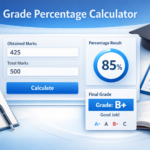
- Click “Calculate” — the tool computes percentage, letter grade, and weighted final score if applicable.
- View summary including percent, letter, contributions by category, and any dropped scores.
Input Validation & Notes
- Points earned cannot exceed total points possible.
- Weights for weighted grades must add up to 100% (or 1.0).
- If custom scales overlap or leave gaps, the calculator highlights the issue.
- Decimal scores (e.g., 17.5/20) are allowed.
- Supports batch entry for multiple assignments with auto-averaging.
Practical Applications
- Grade quizzes, tests, and assignments instantly.
- Calculate final grades for entire courses using weighted systems.
- Predict final outcomes by entering hypothetical future scores.
- Students can track their progress and estimate needed scores.
- Teachers can export grade summaries for record-keeping.
Limitations & Considerations
- Different schools use different letter grade boundaries — always verify the correct scale.
- Weighted grading methods vary (drops, bonus, curves). Configure the calculator accordingly.
- Curved grading (norm-referenced grading) is not included unless manually adjusted.
- Some institutions use standards-based grading, which does not rely on points or percentages.
FAQs – Test Grade Calculator
1. Can I enter multiple assignments at once?
Yes — the tool can compute averages, apply weights, and drop lowest scores automatically.
2. Can I use custom letter grade boundaries?
Absolutely — you can set unique cutoffs (e.g., A = 93–100%).
3. What happens if weights don’t add to 100%?
The calculator alerts you and prevents calculation to ensure accuracy.
4. Can teachers export grades?
Many implementations support exporting results as CSV or printable summaries.
5. Does rounding matter?
You can choose rounding rules (round half-up, floor, ceiling, or show exact decimals).
6. Can students predict scores?
Yes — enter hypothetical future scores to see how they affect your final grade.
7. Does this tool support bonus points?
Yes — bonus above 100% can be entered and calculated normally.
8. What if I enter a zero?
Zero is treated as a valid score and included in averages unless “drop lowest” is enabled.
9. Are minus/plus grades (A-, B+, etc.) supported?
Yes — define custom boundaries such as A– (90–92%), B+ (87–89%), etc.
10. Is this tool suitable for college-level grading?
Yes — it works for K–12, college, vocational training, and certification programs.
Quick Disclaimer
This Test Grade Calculator is intended for educational use and general record-keeping. Official grading policies, scales, and rounding rules are determined by schools, instructors, or academic departments. Always verify calculations against your institution’s guidelines.