Discount Calculator – Find Sale Price & Savings
Discount Calculator
Calculate Sale Price & Savings Instantly
Original Price
Discount Amount
Sale Price
Discount Calculator – Find Sale Price & Savings
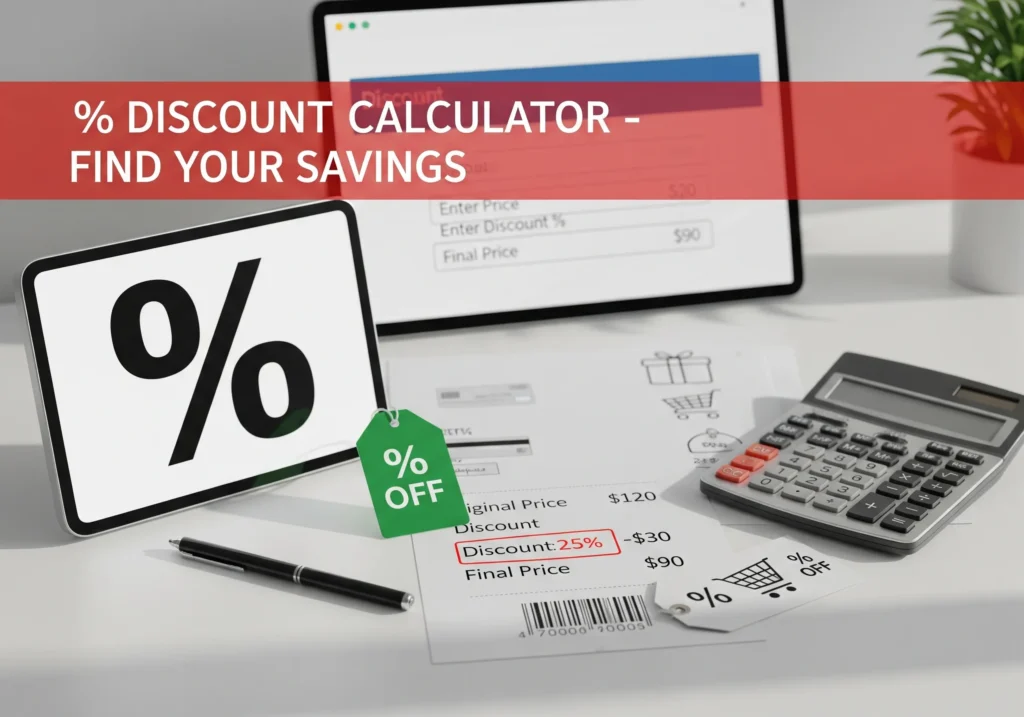
Picture this: You’re out shopping, and you see a jacket you love. The tag says $120, but there’s a big sign that reads “30% OFF”.
Now, here’s the problem — you don’t want to stand in the store doing mental math, second-guessing whether you’re saving $20, $30, or something else.
That’s where the Discount Calculator comes in. In just a few seconds, it shows you:
- The discount amount 💵
- The final sale price 🛒
- Exactly how much you save 🎉
No confusion. No wrong guesses. Just clarity.
What Is This Calculator?
The discount calculator is a simple but powerful tool that helps you quickly figure out the sale price of any item after applying a discount (and even tax, if needed).
It’s useful for:
- Shoppers (finding the true price during sales)
- Online buyers (checking if “70% OFF” is really worth it)
Businesses (double-checking discounts and tax calculations)
Why Is It Important?
- Saves time: No manual calculations in your head.
- Avoids mistakes: Many people underestimate or overestimate their savings.
- Smart shopping: Helps you decide whether a deal is actually good.
Budget planning: Keeps your spending in check during sales seasons.
Formula
Here’s how the calculator works behind the scenes:
- Discount Amount
Discount = OriginalPrice × (Discount% / 100)
- Sale Price (before tax)
SalePrice = OriginalPrice - Discount
- If tax is applied
FinalPrice = SalePrice + (SalePrice × Tax% / 100)
👉 Example:
Original Price = $120
Discount = 30%
Tax = 8%
- Discount = $120 × 0.30 = $36
- Sale Price = $120 – $36 = $84
- Final Price = $84 + (84 × 0.08) = $90.72
You save $36, and your actual checkout price = $90.72.
Step-by-Step: How to Use the Calculator
- Enter the original price (e.g., $120).
- Enter the discount percentage (e.g., 30%).
- (Optional) Add the tax rate if your store applies sales tax.
- Click calculate.
- Instantly see:
- Discount amount
- Sale price before tax
- Final price after tax
- Discount amount
Total savings


Popular Calculators

Cooking Measurement Converter – Cups, Ounces, Milliliters, Grams & More

Hourly to Salary Converter – Calculate Annual Income

Corrected Calcium Calculator | Accurate Serum Calcium Interpretation
BUN to Creatinine Ratio Calculator | Assess Kidney Function
Fraction to Decimal Converter